Chrome extension · free and open source
Copy local storage, session storage and cookies from staging to localhost
Browsers keep storage and cookies separate for every site, so localhost never sees what staging has. You can copy them across by hand in DevTools, or in one click with GetSet.
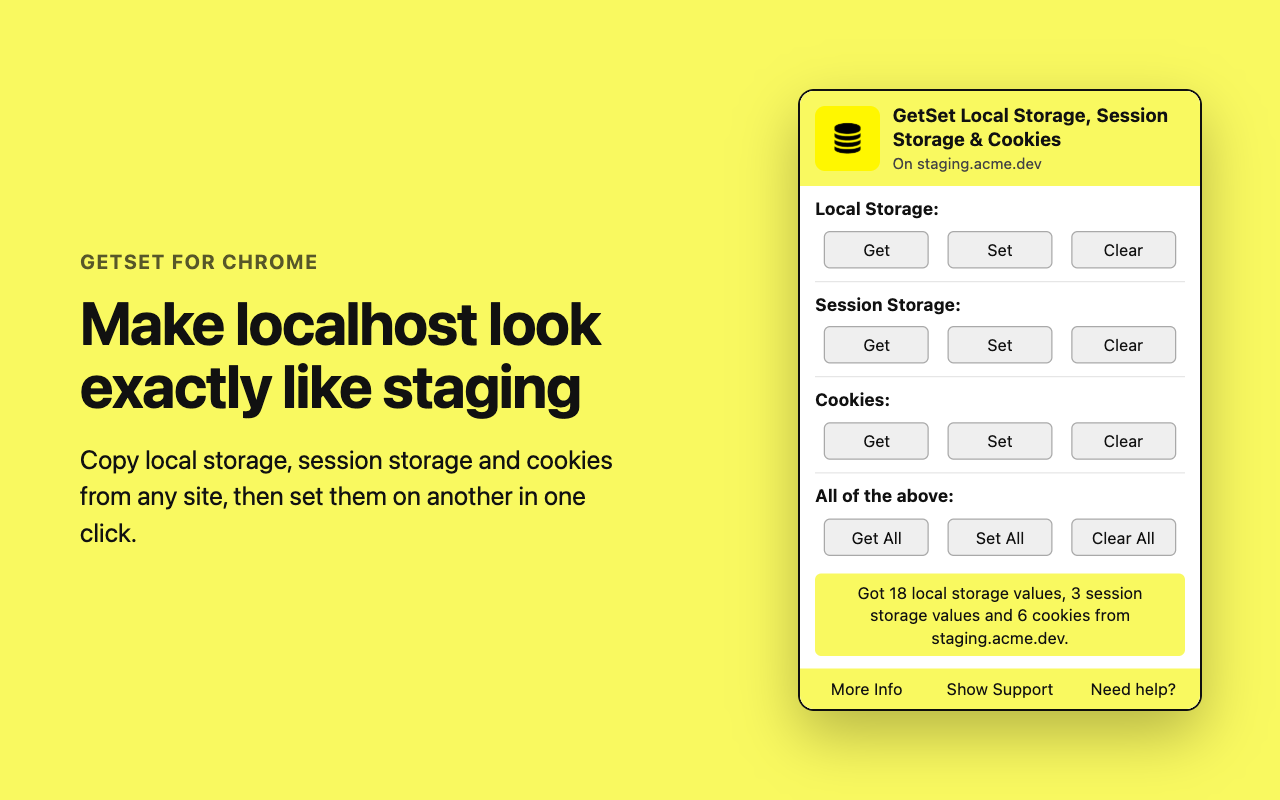
Copy everything in three steps
- Get. Open the source site, for example your staging app, and click Get All.
- Set. Open the target site, for example http://localhost:3000, and click Set All.
- Reload. Reload the target page. It now has the same storage and cookies as the source.
How do I copy localStorage from one site to another?
Browsers keep localStorage separate for every origin, so one site can never read another's. You copy it by exporting the keys on the source site and writing them on the target site: by hand in the DevTools console, or in one click with GetSet (Get All on the source, Set All on the target, then reload).
By hand, in the DevTools console
On the source site, copy every key to your clipboard:
copy(JSON.stringify(localStorage))On the target site, paste it in place of PASTE_HERE and run:
const data = PASTE_HERE;
for (const [key, value] of Object.entries(data)) localStorage.setItem(key, value);
copy() is a DevTools console helper, not part of normal JavaScript. Reload the target page afterwards so the app reads the new values.
In one click, with GetSet
Click Get next to Local Storage on the source site, then Set on the target site, and reload. Every key comes across, and the popup tells you how many values it set.
How do I copy sessionStorage to another site?
The same way as localStorage, with one difference: sessionStorage belongs to a single tab and is gone when the tab closes. Copy it from the tab you are looking at, and set it in the target tab you will keep using.
By hand, use the same two console snippets with sessionStorage in place of localStorage. With GetSet, use the Get and Set buttons next to Session Storage.
How do I use my staging login on localhost?
A logged-in session usually lives in cookies, in a token in local or session storage, or both. Copy all three from staging to localhost and reload. This works when your local frontend talks to the staging API. If the backend binds sessions to its own domain or checks the origin, it can still reject the copied session.
With GetSet: log in on staging, click Get All, open localhost, click Set All and reload. Common reasons to do this: reproducing a staging or production bug locally with the same user and data, or moving feature flags, A/B test buckets and onboarding state between environments.
How do I clear local storage, session storage and cookies for one site?
In DevTools open Application, then Storage, and click Clear site data. In GetSet, Clear All does the same for the current site after asking first, and only removes that site's cookies, never other sites'.
Is it safe to copy cookies and tokens with an extension?
Copied values can be real login tokens, so treat them like passwords: use test accounts where you can and clear localhost when you are done. GetSet keeps everything in your browser, sends nothing to any server, has no tracking, keeps copied cookies in memory only, and is open source under the MIT license.
Get GetSet
Free, open source (MIT), for Chrome 132 or newer. Made by Vinay.